Expert Advice on Hospitality Topics

Non-Alcoholic Cocktails: A Guide to Profitable Bar Menus

Posted by Nick Kaoukis on Wed, Oct, 21, 2026 @ 11:10 AM
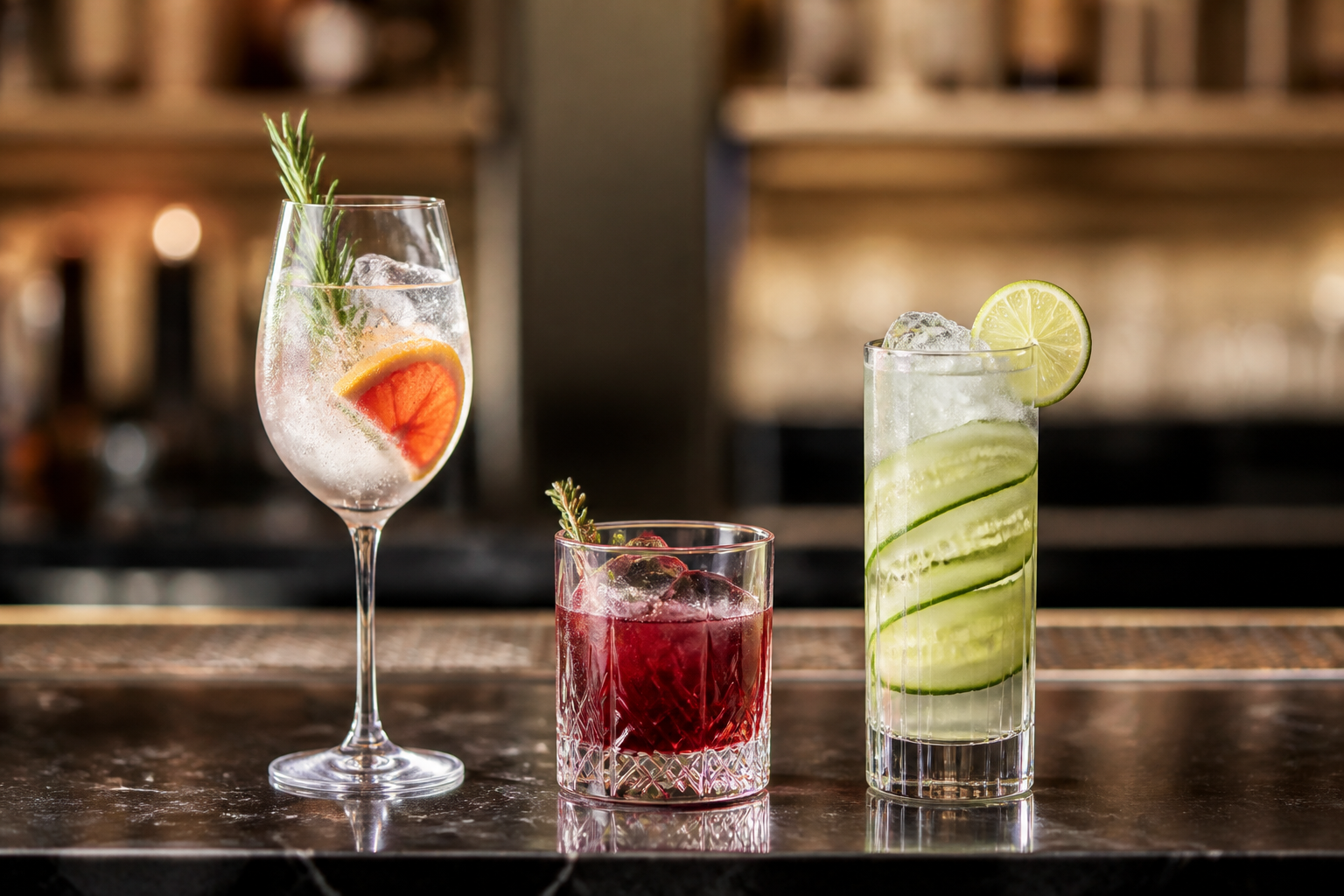
Three non-alcoholic cocktails with citrus, rosemary, and cucumber garnishes on a bar.
AI-generated illustration.

An attractive drink menu can still lose money through wasted ingredients, slow preparation, and prices that ignore the full recipe. A structured non-alcoholic cocktail program needs the same operating discipline as your alcoholic beverage program.

For bar owners, restaurant managers, and hotel beverage directors, the opportunity is to meet changing guest preferences while protecting contribution dollars. Scannabar supports beverage inventory control that helps make the stock side of that review visible.

This guide covers menu construction, recipe costing, ingredient controls, staff recommendations, and performance measurement. The financial example is hypothetical. Use your own supplier invoices and sales records before making pricing or purchasing decisions.

Key Takeaways: Profitable Non-Alcoholic Cocktail Menus

  • Cost every non-alcoholic cocktail recipe before setting its price, including mixers, garnishes, preparation yields, and purchased botanical bases.
  • Build your first drinks around existing ingredients so the new menu does not create unnecessary purchasing commitments or slow-moving stock.
  • Document storage requirements and use-by rules for each perishable ingredient rather than assuming opened products behave like distilled spirits.
  • Scannabar supports inventory measurement and usage reporting that help operators investigate ingredient consumption alongside their broader beverage cost-control process.
  • Evaluate sales, waste, preparation time, and contribution dollars together before deciding which drinks deserve more menu space or further promotion.

Why Non-Alcoholic Cocktails Deserve an Operating Plan

Non-alcoholic cocktails give you another way to serve guests who want a crafted drink without choosing a conventional alcoholic cocktail. Demand evidence supports testing the category, but it does not establish the likely profit for your particular venue.

The National Restaurant Association's 2026 report, released August 25, found that 49% of surveyed fullservice operators were expanding alcohol-free cocktails. Its findings describe operator plans, not guaranteed sales increases.

The same report found that 72% of surveyed consumers considered restaurants a place to discover unfamiliar beverages. Give those guests specific choices and informed recommendations, then measure whether interest becomes paid orders.

Moderation Creates Opportunities Across Different Guest Occasions

Moderation can change what a guest orders during an existing visit, rather than creating a separate customer segment. A table may include people choosing alcoholic drinks, lower-alcohol drinks, and drinks with no alcohol.

NIQ's January 2026 hospitality outlook, presented in a UK and Ireland context, identifies moderation and low/no-alcohol choices as important drinks trends. Treat that market evidence as directional when planning a venue elsewhere.

Your own reservations, guest feedback, and sales records provide the local test. A trend gives you a reason to investigate; it does not replace the investigation.

Distinguish Added Revenue From Shifted Spending

A non-alcoholic cocktail order can add beverage spending, replace another drink, or shift spending between menu categories. Those outcomes have different financial consequences, even when the new category reports healthy sales.

Compare total beverage revenue per cover before and after introducing the menu, while noting changes in traffic, prices, promotions, and daypart. A busy holiday week is not a clean comparison with an ordinary service week.

Track the costs attached to those sales as well. New revenue accompanied by discarded ingredients and additional preparation hours may contribute less than the sales total suggests.

Build a Non-Alcoholic Menu Around Existing Ingredients

Start your non-alcoholic menu with ingredients already used successfully across your bar and kitchen. Shared ingredients can limit new purchasing commitments and make preparation easier to organize.

List juices, syrups, teas, tonics, sodas, herbs, and garnishes alongside their purchase units, storage needs, and existing uses. That inventory becomes a practical development brief rather than an invitation to purchase every specialty product.

Choose Flavor Coverage Before Expanding the Drink List

A compact menu should offer distinct flavor choices rather than several drinks that serve the same preference. Consider a refreshing citrus option, a drier botanical option, and a richer or spiced option as a starting test.

The exact number is an operating decision. Match it to your station space, preparation capacity, expected demand, and staff knowledge. A hotel lounge and a small neighborhood restaurant do not need identical lists.

Write a reason for each drink's place on the menu. If two drinks require separate ingredients but appeal to the same guest preference, test whether both justify their stock and preparation requirements.

Give Each New Ingredient a Purchasing Case

A new ingredient should have a defined use, an expected rate of consumption, and a workable storage plan before you order it. Supplier pack size matters as much as the cost of an individual serving.

Compare the smallest available order with likely sales during the product's documented usable life. An attractive bottle cost means little if much of its contents will be discarded.

Set initial par levels conservatively and review them after the test. Increase stock because measured demand supports it, not because the shelf looks incomplete.

Verify Alcohol Content Before Naming or Describing Drinks

Do not assume that a product described as non-alcoholic contains no alcohol. Check the supplier's label and specifications for every ingredient, including bitters, extracts, fermented components, and botanical alternatives.

Use local regulatory definitions when choosing menu descriptions such as non-alcoholic, alcohol-free, and zero-proof. Avoid suggesting that a drink is suitable for a medical, religious, or personal restriction unless you can substantiate that description.

Give staff access to the ingredient information and a clear escalation procedure. When a guest needs a precise answer, checking the specification is more useful than offering reassurance from memory.

Cost and Price Non-Alcoholic Cocktails Before Launch

Set prices from complete recipe costs, your operating requirements, and the value of the finished drink. Removing an alcoholic spirit does not automatically make a recipe inexpensive or profitable.

Purchased botanical alternatives, garnishes, preparation losses, and labor can change the economics. Apply the same cost-control discipline you use elsewhere in the beverage program.

Convert Purchase Units Into Usable Recipe Quantities

Ingredient cost per serving depends on the usable quantity obtained from a purchase unit. Divide the purchase cost by usable yield, then multiply by the recipe quantity.

Keep units consistent. A supplier invoice in liters cannot be compared directly with a recipe written in fluid ounces without a conversion. Distinguish fluid volume from weight when handling syrups and concentrates.

For prepared ingredients, retain a batch recipe and measured yield. Record the cost of its components and allocate that cost across the usable batch rather than treating preparation as free product.

Use a Hypothetical Recipe to Check the Calculation

The following botanical spritz example uses invented figures solely to demonstrate costing. These figures are not supplier prices, market benchmarks, or a recommended menu price.

IngredientRecipe quantityHypothetical cost
Botanical alternative1.5 fluid ounces$0.90
Lime juice0.75 fluid ounces$0.15
Rosemary syrup0.5 fluid ounces$0.10
Tonic3 fluid ounces$0.25
GarnishOne specified serving$0.15
Total recipe cost$1.55

At a hypothetical net selling price of $11, ingredient cost percentage is $1.55 divided by $11, multiplied by 100: approximately 14.1%. The sale leaves $9.45 after the listed ingredients, before other expenses.

That $9.45 is not net profit. Labor, payment fees, consumables, occupancy, and other expenses still require coverage. Keep the definition of any contribution measure explicit.

Compare Contribution Dollars and Preparation Requirements

A lower ingredient-cost percentage does not necessarily produce more contribution dollars per sale. Compare the selling price minus included variable costs, using the same definition across drinks.

Record preparation requirements separately if they are not included in your contribution calculation. A drink that uses little purchased product may still occupy a bartender for a significant part of a busy service.

Time several preparations under realistic conditions. Use that observation to adjust the recipe, station setup, or service method before deciding that a favorable ingredient ratio proves the drink belongs on the menu.

Keep Recipe Costing Separate From Period Beverage Cost

Recipe cost describes expected ingredients in one serving. Period beverage cost describes inventory consumed across a reporting interval, including product that did not become an ordinary paid sale.

Use matched counts, receipts, transfers, returns, and sales boundaries when calculating period beverage cost. Purchases alone cannot show consumption because some stock remains unused.

Maintain the same ingredient scope in both views. Including garnishes in recipe costs but excluding them from actual consumption produces a comparison that cannot reliably explain performance.

Control Ingredient Waste and Stock Levels
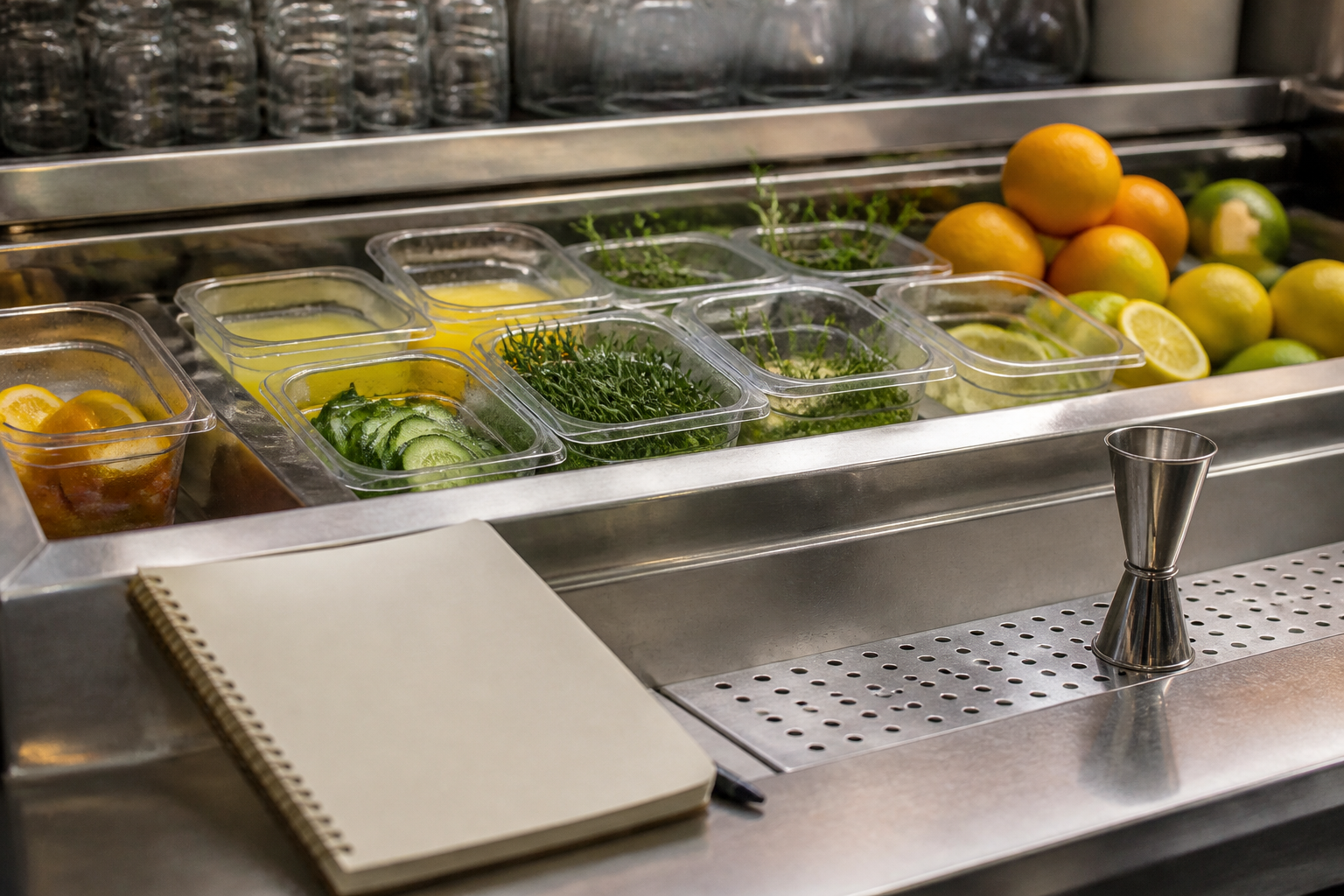
Organized bartender preparation station with citrus juice, rosemary, cucumber, and measuring tools.
AI-generated illustration.

Protect margins by linking purchasing and preparation to demand and documented storage requirements. Excess stock can create a chain of costs: more cash committed, more storage occupied, and more product exposed to disposal.

Assign responsibility for receiving, labeling, rotation, and waste records. A drink program needs clear ownership even when its ingredients are shared between the kitchen and bar.

Use Product-Specific Storage and Disposal Instructions

Document storage conditions and use-by rules for each perishable ingredient using supplier instructions and your approved food-safety procedures. Do not borrow a generic shelf-life estimate for a different recipe or product.

Label prepared batches and opened containers with the information your procedures require. Record preparation or opening dates, storage requirements, and disposal boundaries so another shift can make a defensible decision.

Quality and safety are separate questions. A product can lose its intended flavor before its safety limit, and acceptable appearance does not establish safety. Follow the applicable documented controls.

Match Batch Size to Demand and Usable Life

Prepare quantities that expected sales can consume within the documented usable window. A larger batch can reduce preparation frequency while increasing the amount exposed to waste.

Start from servings sold, recipe quantities, upcoming bookings, and the next preparation opportunity. Adjust for meaningful demand changes rather than repeating last week's batch automatically.

Record what remains and what is discarded. If the same base is repeatedly thrown away, reduce the batch, change its menu applications, or reconsider the drink rather than hiding the loss inside general supplies.

Count Shared Ingredients Within a Defined Scope

Shared ingredients need stock-movement records when they pass between departments or outlets. A syrup moved from the kitchen to the bar can look like unexplained consumption if only one side records the transfer.

Scannabar's dry goods inventory coverage includes mixers, syrups, garnishes, and consumables. Establish appropriate product records and counting units before including those items in your review.

Choose a scope your team can maintain consistently. A complete record for a defined category is more useful than a broad report whose missing locations and movements make the result unreliable.

Train Staff to Recommend Drinks With Confidence

Staff need product knowledge, clear descriptions, and accessible ingredient information to recommend non-alcoholic cocktails accurately. Treat training as part of the launch, not an optional follow-up after disappointing sales.

Give each drink a recipe card, a flavor description, a service specification, and ingredient disclosures. Include the procedure for substitutions so an improvised change does not invalidate the menu description or recipe cost.

Teach Flavor Descriptions Through Structured Tasting

A structured tasting helps staff distinguish drinks and describe them in practical language. Ask participants to identify sweetness, acidity, bitterness, texture, and the occasions each drink suits.

Provide alternatives for staff who cannot or prefer not to taste a product. Ingredient information, preparation demonstrations, and agreed tasting notes can still support informed service.

Finish with a short recommendation for each drink. Specific flavor language gives the guest a useful choice and avoids presenting the non-alcoholic list as an afterthought.

Ask Preferences Without Making Personal Assumptions

Ask what flavor or style a guest wants rather than why they are not drinking alcohol. The reason is personal and does not need to become part of an ordinary recommendation.

Offer a refreshing, dry, botanical, or richer option using the guest's stated preference. If they require complete avoidance of alcohol or another ingredient, confirm the specification rather than assuming a category label answers the question.

Make the menu easy to find and prices clear. Measure whether revised placement or descriptions change orders before treating one presentation format as universally effective.

Measure the Menu Before Expanding It

Review non-alcoholic cocktail sales alongside ingredient consumption, waste, and service requirements. A growing sales category can still conceal a weak contribution or a preparation problem.

Set a review cadence and assign an owner. Retain the opening assumptions so you can compare actual performance with the purchasing, costing, and demand expectations that justified the launch.

Track Sales Mix and Revenue Per Cover

Sales mix shows the share of beverage revenue attributable to non-alcoholic cocktails. Calculate it from matching dates and outlets, then inspect the result by drink and daypart.

Compare revenue per cover alongside the mix. A category gaining share while total beverage revenue falls does not, by itself, demonstrate success or failure; traffic and substitution effects need examination.

Record promotions, events, and price changes. Those notes help explain movements without incorrectly attributing every improvement to a new drink or every decline to staff performance.

Investigate Actual Versus Theoretical Ingredient Usage

Theoretical usage combines recorded sales with standard recipe quantities. Actual usage comes from stock counts and documented movements. Their difference needs reconciliation before you identify a cause.

Use an actual versus theoretical review to check receiving errors, transfers, recipe mapping, recorded waste, complimentary servings, and portion differences. Unexplained variance is not proof of theft.

Scannabar provides product and outlet usage reporting. Its sample reports illustrate the reporting resources available to support a review grounded in evidence rather than accusations.

Keep, Adjust, or Remove Drinks Using the Evidence

Menu decisions should combine popularity, contribution dollars, waste, and execution requirements. Review why an item underperforms before removing it or adding more stock.

A low-selling drink may need clearer description or staff familiarity. A popular drink may need a recipe or preparation change if its contribution is weak. Evaluate changes individually where practical so you can interpret the outcome.

For groups, compare outlets with similar service patterns before standardizing the menu. A successful lobby-lounge drink may not suit a banquet bar's preparation window, guest mix, or available storage.

Build a Beverage Program You Can Explain

A profitable non-alcoholic cocktail program depends on disciplined execution and measurement, not trend participation alone. Start with a defined menu, costed recipes, documented ingredient handling, and trained staff.

Review what sold, what was consumed, what was discarded, and what remained after the costs included in your analysis. Use those records to make the next purchasing and menu decision.

The choice is practical: expand a program because its evidence supports expansion, or keep refining it until the economics are clear. Sales enthusiasm is useful. A traceable operating result is more useful.

FAQs About Non-Alcoholic Cocktail Programs

How should a bar price non-alcoholic cocktails?

Price each drink from its recipe cost, operating requirements, and intended guest experience. Calculate ingredient percentage and contribution dollars, then consider preparation demands separately. There is no universal price or margin target that establishes profitability across every venue.

Can non-alcoholic drinks be more profitable than alcoholic cocktails?

They can produce a higher contribution, but the result depends on selling prices, ingredients, and other included costs. A specialty botanical base is not automatically cheaper than a spirit. Compare your actual recipes and supplier invoices rather than assuming a category guarantees better margins.

How can inventory software support the program?

Scannabar supports inventory measurement and usage reporting across beverage categories and dry goods. Include the relevant ingredients and maintain consistent units and movement records. Software can organize the review, but it does not replace complete recipes, accurate receiving records, or food-safety procedures.

Does a stock discrepancy prove employee misconduct?

No. Errors in counts, receipts, transfers, recipes, and sales mapping can create discrepancies. Scannabar's product-level reporting helps focus the investigation. Reconcile documented use and verify records before attributing an unexplained difference to a person.

What should staff say when guests require no alcohol?

Staff should confirm ingredient specifications and explain what can be verified. A non-alcoholic label does not necessarily establish complete absence of alcohol. Check every component and follow local labeling rules; avoid making medical assurances or relying on an informal category description.

What should managers review after introducing the menu?

Review sales by drink and daypart, revenue per cover, ingredient consumption, recorded waste, and preparation demands. Scannabar's usage reporting supports the inventory side of that assessment. Compare equivalent periods and document promotions or events that may affect the result.
Topics: Liquor cost, Increasing Profits, Hospitality, Hotel Bar Inventory, craft cocktails, Halloween Cocktails, mocktails

Actual vs. Theoretical Beverage Cost: Explain the Gap

Posted by Nick Kaoukis on Mon, Oct, 19, 2026 @ 11:10 AM
Hospitality manager and bartender reviewing cost records together at a bar counter
Illustrative AI-generated image of a collaborative beverage cost review.

Actual beverage cost measures the value of inventory consumed. Theoretical beverage cost estimates what recorded sales should have consumed at standard recipe quantities and ingredient costs. The difference is variance, and it needs reconciliation before you can identify the cause.

A high gap can reflect waste, portions, receiving errors, incorrect recipe mapping, or unauthorized use. Scannabar supports beverage inventory control with bottle-level counts and reporting that help you inspect the records behind the number.

For the counting and stock-movement controls behind a reliable variance review, see our liquor inventory and cost-control guide.

Key Takeaways: Understand Beverage Cost Variance

  • Theoretical beverage cost is expected ingredient consumption based on recorded sales, standard recipes, and a consistent cost basis.
  • Actual beverage cost comes from stock counts and movements, including purchases, supplier returns, and transfers within your reporting scope.
  • Compare the same dates, locations, categories, and ingredient coverage before calculating a dollar gap or percentage-point difference.
  • Scannabar supports bottle-level counts and usage reports so you can investigate specific products rather than only a blended cost ratio.
  • Reconcile errors and documented non-sale use first; unexplained variance is an investigation signal, not proof of misconduct by staff.

What Is Theoretical Beverage Cost?

Theoretical beverage cost is the expected cost of ingredients used for recorded sales. Multiply each drink's standard recipe cost by its quantity sold, then sum the results.

Cost every included ingredient using consistent quantities and unit prices. If you include mixers and garnishes in the theoretical figure, include their consumption in actual cost too. Dry goods tracking helps maintain that broader scope.

Divide theoretical cost by matching net sales to calculate its percentage. This sales-based baseline excludes waste and complimentary use unless you explicitly add those to an adjusted expected-usage measure.

What Is Actual Beverage Cost?

Actual beverage cost is inventory-derived consumption value for the period. It includes product sold, waste, complimentary use, and unexplained depletion. Counting and recording errors can also distort the figure.

Actual cost = Opening stock + Purchases + Transfers in − Transfers out − Supplier returns − Closing stock. Use values at cost and avoid deducting a return twice if purchases are already net of credits.

Scannabar's liquor inventory system supports the bottle-level measurements that feed this calculation. Purchases by themselves are not consumption.

Calculate Theoretical Cost From Recipes and Sales

Calculate each recipe's ingredient cost, multiply it by the recorded sales count, and add the item totals. Maintain recipe quantities and POS mappings so the expectation reflects the menu you serve.

For an illustrative drink costing $1.20 in ingredients and sold 300 times, theoretical cost is $360. Repeat that calculation across every item within scope.

Review portion consistency when the written recipe differs from the actual standard. An outdated recipe card creates apparent variance before any loss occurs.

Worked Example: Compare Expected and Actual Cost

This hypothetical two-week example uses $38,000 in net beverage sales. Recipe costs multiplied by sales counts total $8,400. Opening inventory is $12,500, purchases are $9,800, transfers out are $200, and closing stock is $11,500. There are no transfers in or returns.

Illustrative actual versus theoretical cost comparison
MeasureTheoreticalActualDifference
Cost$8,400$10,600$2,200
Share of $38,000 sales22.11%27.89%5.79 percentage points

Actual cost is $12,500 + $9,800 − $200 − $11,500 = $10,600. The gap is $2,200. The percentage-point difference uses unrounded ratios: $2,200 ÷ $38,000 × 100 = 5.79. Independently rounded displayed percentages may differ by 0.01.

This is total variance, not necessarily unexplained loss. Reconcile documented waste, complimentary servings, recipe errors, and cost differences before calculating the residual. Product-level reports help organize that work.

Match the Scope Before Interpreting the Gap

Both cost figures must cover the same dates, locations, categories, and ingredient costs. A spirits-only actual figure cannot be compared with theoretical costs that include wine, mixers, and garnishes.

Keep wine inventory within its defined category and reconcile internal transfers. At property level, internal movements cancel; at outlet level, they must be recorded on both sides.

A negative gap also needs review. It can reflect under-portions, inflated recipe costs, omitted purchases, or incorrect counts. Do not assume a lower actual result proves tighter operations.

Investigate the Gap Before Assigning Blame

Investigate records, documented non-sale use, and portions before drawing conclusions about theft. The cost ratio tells you how much needs explaining, not who caused it.

Check Receiving and Recipe Records

Reconcile invoices, credits, transfers, count boundaries, and POS recipe mappings. Duplicate purchases or missing closing stock can inflate usage. Follow a consistent audit routine so each review checks the same inputs.

Reconcile Waste and Complimentary Servings

Log spills, breakage, returned drinks, tastings, and approved complimentary servings. These explain consumption without ordinary sales revenue. Separate documented use from the remaining gap rather than describing every non-sale pour as unauthorized.

Verify Portions and Counting Methods

Compare actual serving practice with recipe quantities. Review your counting procedure when partial measurements vary. Both recipe drift and measurement differences can resemble missing stock.

Review Remaining Unexplained Patterns

Investigate persistent item or location discrepancies using records and operational evidence. Variance reduction should address the verified cause, not punish a team based on a blended percentage.

How Scannabar Supports Evidence-Based Reviews

Scannabar provides bottle-level counting, POS reconciliation, and usage reporting by product and outlet. Those inputs help you move from a broad ratio to specific discrepancies that can be checked against receiving and movement records.

Use inventory accountability to protect staff from false accusations and make reviews repeatable. Frequent counts narrow the period you need to investigate without proving individual responsibility.

Cheryl Stanley, Senior Lecturer at Cornell's Nolan School of Hotel Administration, covers the role of controls in her beverage program course. Reliable records and corrective action belong together.

Conclusion: Explain the Variance Before Acting

Match the cost basis, measure both sides, and reconcile legitimate non-sale use. Then investigate what remains. The value of actual-versus-theoretical reporting comes from the process change it supports, not from producing a percentage alone.

FAQs About Actual and Theoretical Beverage Cost

Is there a universal acceptable variance?

No. Acceptable differences depend on your measurement method, ingredients, documented waste, and operating context. Scannabar's usage reports help you establish a consistent baseline, but review the residual unexplained gap rather than borrowing a threshold that does not match your calculation.

Can recipe mistakes create variance?

Yes. Incorrect quantities, costs, or POS mappings change the theoretical expectation even when physical stock is accurate. Scannabar's counts support the actual side of the comparison. Check recipe inputs and sales mappings before treating the difference as lost inventory.

How frequently should you compare the two costs?

A weekly comparison is a useful starting point for active beverage operations when reliable counts are available. Scannabar's counting workflow supports frequent reviews. Choose consistent boundaries and retain the movement records that make each period's result explainable.

Topics: Restaurant Inventory, Scannabar Inventory system, Best Bar Inventory app, Best Liquor Inventory app, Scannabar inventory app, Resaurant Inventory app, Restaurant Inventory app, Scannabar Inventory Software

Bar Inventory Spreadsheet: Fields, Formulas, and Examples

Posted by Nick Kaoukis on Thu, Oct, 15, 2026 @ 15:10 PM
Spirit bottles, inventory clipboard, calculator, and pen arranged on a tidy bar counter
Illustrative AI-generated image of a bar inventory workspace.

A bar inventory spreadsheet records products, quantities, units, locations, and costs so you can calculate stock value and usage. Separate receiving, transfer, and waste logs explain movements that a closing count alone cannot.

A missing transfer can make one outlet look short while another looks overstocked. That error can trigger unnecessary purchasing or an unjustified accusation against staff. Your spreadsheet should expose the difference between documented movement and unexplained depletion.

Scannabar supports bar inventory control when you need bottle-level tracking and reporting beyond a spreadsheet. The worksheet below explains the data discipline either approach requires.

For the receiving, counting, and cost-review process this worksheet supports, see our liquor inventory and cost-control guide.

Key Takeaways: Build a Reliable Inventory Worksheet

  • Record product identity, bottle size, counting unit, location, quantity, and cost so every calculation uses a consistent basis.
  • Separate inventory snapshots from receiving, transfer, return, and waste records to keep stock movements visible and auditable.
  • Calculate usage from opening stock, receipts, transfers, returns, and closing stock; do not treat purchases alone as consumption.
  • Scannabar provides bottle-level counting and usage reporting when multi-location tracking or spreadsheet reconciliation requires more structured inventory workflows.
  • Protect formulas, standardize partial-bottle measurements, and reconcile discrepancies before interpreting a worksheet shortage as evidence of theft or waste.

What Should a Bar Inventory Spreadsheet Track?

Your count sheet should identify each product and its cost basis without relying on memory. Use one row per product and location, with consistent units throughout the period.

Include SKU, product name, bottle size, location, counting unit, beginning quantity, ending quantity, unit cost, and count date. Keep 750 mL and 1 L bottles separate even when the brand is identical.

For partial bottles, document the measurement method and train counters to apply it consistently. Compare inventory methods before choosing your procedure.

Keep Receiving and Stock Movement Records Separate

Separate movement logs explain how stock entered or left each reporting location. They also make duplicate invoices, missing transfers, and supplier returns easier to reconcile.

Your receiving tab should include date, supplier, invoice, product, quantity, unit, and cost. A transfer tab should include origin, destination, quantity, and approval. Returns need their own documented adjustment so they are deducted once.

Your waste and complimentary-use log should capture date, item, quantity, reason, and approval. Documenting these events supports variance reviews without treating every non-sale pour as misconduct.

Calculate Stock Value and Usage Consistently

Stock value equals quantity on hand multiplied by unit cost. Usage includes all stock available during the period, less stock returned, transferred out, or still on hand.

Usage units = Beginning quantity + Receipts + Transfers in − Transfers out − Supplier returns − Ending quantity.

Closing value = Ending quantity × Unit cost. For a constant-cost example, usage cost equals usage units times unit cost. If costs change, follow a consistent valuation policy agreed with your accountant rather than silently replacing historical values.

Usage reports organize these outputs. Keep documented waste inside total physical usage; subtract it only when calculating the remaining unexplained variance, or you will hide actual consumption.

Illustrative Spreadsheet Example

This hypothetical table uses bottle-equivalent units and constant unit costs. It assumes no transfers or returns. The receipt and count values below are illustrative, not supplier pricing or performance claims.

Sample inventory worksheet using bottle equivalents
ProductSizeOpeningReceiptsClosingUsageUnit costUsage costClosing value
House vodka1 L8.06.05.38.7$20$174$106
House gin1 L4.03.03.63.4$22$74.80$79.20
Total$248.80$185.20

If matching net sales for these products were $1,000, the cost ratio would be 24.88%. In a spreadsheet, enter usage cost divided by matching sales and format the cell as a percentage. Do not multiply by 100 and then apply percentage formatting again.

Prevent Unit and Partial-Bottle Errors

Consistent units prevent quantity errors from flowing into every cost calculation. Record whether an entry means bottles, cases, ounces, or milliliters, and reject incompatible entries.

A three-case receipt is not three bottles. Convert receipts to the counting unit before calculating usage. Keep packaged beer and keg units explicit rather than treating every item as a spirit bottle.

For wine inventory, separate unopened bottles from open-bottle quantities. Record each location so a cellar-to-service transfer does not appear to be a sale.

Protect the Worksheet and Reconcile It Regularly

Protect formula cells, keep dated count snapshots, and limit changes to approved inputs. Freeze headers and use validation rules for units, locations, and product names.

Save each period's counts before starting another. Reconcile receiving against invoices, transfers between both locations, and portion standards against recipe expectations.

Cheryl Stanley, Senior Lecturer at Cornell's Nolan School of Hotel Administration, includes rigorous controls in her beverage program course. A worksheet supports that discipline; it cannot replace it.

When Should You Move Beyond a Spreadsheet?

Consider a more structured system when counts are delayed, multiple editors overwrite records, or location reconciliation absorbs too much staff time. There is no universal SKU count or revenue threshold that determines the switch.

Scannabar's liquor inventory software supports bottle-level counts, usage analysis, and outlet reporting. Review how those workflows fit your receiving and transfer procedures rather than assuming software will correct missing records automatically.

A repeatable beverage audit helps identify the step that is failing. Use inventory accountability to make the process easier for staff and protect them from unsupported accusations.

Conclusion: Make Every Inventory Number Traceable

A useful spreadsheet connects quantities with units, costs, locations, and documented movements. Build that foundation first. When version control or reconciliation becomes unreliable, evaluate a system that keeps those records connected rather than adding more disconnected tabs.

FAQs About Bar Inventory Spreadsheets

Can a spreadsheet calculate theoretical usage?

Yes, if you maintain recipe quantities and matching POS item counts. Multiply each ingredient quantity by the number of drinks sold. Scannabar's usage reports support comparison with physical depletion, but the recipe mapping and documented non-sale usage still need to be accurate.

Should documented waste be removed from usage cost?

No. Waste is product consumed without a sale, so it remains in actual usage cost. Deduct documented waste when reconciling unexplained usage, not when measuring total consumption. Scannabar's reports support the review when your waste and movement records are kept consistently.

Can inventory software replace the need for stock counts?

No. Your inventory records need reliable physical observations and movement entries. Scannabar supports bottle-level measurement and reporting, but the team still needs a documented counting routine. Software organizes the workflow; it does not make missing or inconsistent inputs trustworthy.

Topics: Bar inventory, Hotel Inventory, Food Costs, Bar Management, Liquor cost, Liquor Inventory savings, Cruise ship bar inventory, Country Club Liquor Inventory, Scannabar inventory app

What Is a Good Liquor Cost Percentage for Your Bar?

Posted by Nick Kaoukis on Mon, Oct, 12, 2026 @ 15:10 PM
Bartender measuring a cocktail ingredient with a jigger at a professional bar
Illustrative AI-generated image of consistent drink preparation.

A good liquor cost percentage is a target your own recipes, purchase costs, and selling prices can support. There is no single percentage that establishes whether every bar is operating well. A spirits-focused venue and a wine-led restaurant can have different cost ratios and both produce healthy gross profit.

Your liquor inventory control should connect that target with measured consumption. Scannabar helps you review the stock and usage data behind the result, rather than treating a published average as a diagnosis.

To connect cost targets with counts, purchasing, and variance reviews, see our liquor inventory and cost-control guide.

Key Takeaways: Set a Useful Liquor Cost Target

  • Liquor cost percentage compares product consumed with matching sales revenue; purchases alone do not establish what your bar used.
  • Your recipe costs, selling prices, and revenue mix determine a realistic theoretical target for your own beverage program.
  • Weight category cost ratios by revenue share, not by the number of drinks sold, to calculate a blended target.
  • Scannabar supports inventory counts and usage reporting so you can compare expected consumption with the stock your operation used.
  • Investigate changes in pricing, portions, records, and documented waste before interpreting a higher ratio as unexplained loss or theft.

What Does Liquor Cost Percentage Measure?

Liquor cost percentage measures consumption cost as a share of liquor sales for a defined period. Divide cost used by matching net sales and multiply by 100.

Calculate usage from opening stock plus net purchases and transfers in, minus transfers out and closing stock. Keep all stock values at cost and use a consistent valuation policy. Usage reports organize the inputs, but the reporting scope still needs to match.

An illustrative 22% ratio leaves 78% of sales before labor, rent, and other expenses. That remainder is gross margin, not net profit.

Why Do Liquor Cost Targets Vary by Bar?

Targets vary because ingredient costs, menu prices, and revenue mix vary. A lower cost percentage is not automatically a better business if it comes with lower sales or weaker guest retention.

Separate wine from spirits and beer before reviewing a blended result. Different serving formats and purchasing costs can move the blend even when staff follow every recipe.

Cheryl Stanley, Senior Lecturer at Cornell's Nolan School of Hotel Administration, addresses product selection, pricing, and controls in her beverage management course. Evaluate those decisions together when setting your target.

Set a Target Using Your Own Drink Recipes

Start with current recipe costs divided by net selling prices. A hypothetical drink using $2.80 of ingredients and selling for $14 has a theoretical cost percentage of 20%.

Use actual ingredient quantities, documented bottle sizes, and consistent units. Update costs when supplier prices change. Standard recipes and portion control keep your theoretical baseline connected to the drink served.

Include the same ingredients in actual and theoretical cost. A spirits-only calculation cannot be compared directly with a recipe calculation that also includes mixers and garnishes.

Weight the Target by Revenue Share

A blended target is the sum of each category's cost percentage multiplied by its share of beverage revenue. Weighting by drink counts instead can distort the answer when selling prices differ.

Illustrative revenue-weighted target, not industry benchmarks
CategoryRevenue shareTheoretical costContribution
Spirits50%18%9 percentage points
Beer25%24%6 percentage points
Wine25%32%8 percentage points
Total100%23% blended target23 percentage points

The hypothetical target is 23%. These category figures are examples, not recommended ranges. Track beer stock separately so changes in its revenue share do not hide a spirits discrepancy.

Compare Your Target With Actual Liquor Cost

Compare expected cost with inventory-derived usage over the same dates, categories, and locations. The dollar gap is actual cost minus theoretical cost; the ratio gap is expressed in percentage points.

If hypothetical sales are $20,000, a 23% target implies $4,600 in expected cost. Actual cost of $5,200 produces a 26% ratio and a $600 gap, or three percentage points. Review variance by item to identify what needs reconciliation.

Do not label the entire gap theft. Recorded waste, complimentary drinks, changing costs, count errors, and recipe mapping may explain part or all of it.

Separate Price Changes From Unexplained Usage

Price changes alter recipe cost even if portions stay constant. Unexplained usage is depletion that remains after you reconcile sales, documented non-sale use, and stock movements.

Review invoices first, then count quality and POS recipe mapping. A consistent inventory method helps prevent measurement differences from appearing as operational loss.

Increase review frequency when discrepancies persist. Beverage audits provide a structure for checking the records rather than relying on a single blended percentage.

How Scannabar Supports Margin Reviews

Scannabar's liquor inventory system records bottle-level stock and reconciles usage against POS sales. Product and outlet reporting help you investigate the underlying items rather than only the property-wide average.

Use inventory accountability to protect staff from unsupported accusations. Share the calculation and evidence with your team, then address receiving, recipes, or waste processes according to the findings.

Conclusion: Set a Target Your Bar Can Explain

Your most useful target comes from costed recipes and revenue mix. Recalculate it when those inputs change, and compare it with actual usage consistently. A percentage becomes actionable when you understand the dollars and operating records behind it.

FAQs About Liquor Cost Targets

Can a higher liquor cost percentage still be profitable?

Yes. Profitability depends on gross profit dollars and all operating expenses, not just one cost ratio. Scannabar's usage reporting helps you examine product costs, but labor, occupancy, sales volume, and guest demand also belong in a full profitability review.

How often should you review the target?

Review it when supplier costs, recipes, menu prices, or revenue mix change materially. Scannabar's stock and usage reports support the actual-cost side of that review. Keep the theoretical baseline current so yesterday's costs do not create misleading variance today.

Does a low liquor cost prove inventory is controlled?

No. A low aggregate ratio can hide offsetting errors, under-portions, or category-level discrepancies. Scannabar's product-level reporting helps you inspect those patterns. Pair the financial review with recipe checks and guest-quality standards rather than rewarding the lowest number alone.

Topics: Scannabar Inventory system, Liquor cost, alcohol cost, Reducing Liquor Costs, controling costs, managing liquor costs, Scannabar inventory app, Resaurant Inventory app, Scannabar Inventory Software

How to Calculate Liquor Cost in 5 Simple Steps (2026)

Posted by Nick Kaoukis on Tue, Oct, 06, 2026 @ 15:10 PM
Hospitality manager reviewing an inventory worksheet and calculator at a bar counter
Illustrative AI-generated image of a liquor inventory review.

Liquor cost percentage equals the cost of liquor consumed divided by liquor sales for the same period, multiplied by 100. Your purchases alone do not tell you what you consumed. Stock remaining on the shelf belongs in the calculation.

For an illustrative bar with $600,000 in annual liquor sales, a four-percentage-point gap between actual cost and its own target represents $24,000 in additional product cost. That gap deserves investigation, not an automatic accusation of theft.

Scannabar supports liquor inventory control with bottle-level counting and usage reporting. The five steps below explain the calculation behind those numbers.

For the complete inventory process behind this calculation, see our liquor inventory and cost-control guide.

Quick Guide: Calculate Liquor Cost in Five Steps

  1. 1. Match Reporting Dates and Categories: Align inventory boundaries with sales dates and your beverage categories.
  2. 2. Value Beginning Inventory: Record full and partial bottles using a consistent cost basis.
  3. 3. Record Purchases, Returns, and Transfers: Reconcile deliveries and movements within the reporting period you selected.
  4. 4. Calculate Usage Cost: Deduct ending stock after adjusting opening inventory for recorded movements.
  5. 5. Divide Usage Cost by Liquor Sales: Convert consumption cost into a percentage of matching sales revenue.

Calculate Your Bar's Liquor Cost Percentage

1. Match Reporting Dates and Categories

Choose a period with inventory counts at its opening and closing boundaries. Pull POS sales for those same dates and locations. A count taken after additional service cannot reliably close an earlier sales period unless you account for intervening activity.

Separate spirits from wine and beer when you need category-level answers. Compare the same ingredient scope on both sides: spirits-only costs should not be divided by all restaurant revenue. Consistent scope makes beverage variance easier to interpret.

2. Value Beginning Inventory

Beginning inventory is the cost value of stock on hand at the start of the period. Include the back bar, service stations, storage, and any other locations inside your reporting scope.

Record bottle size, quantity, and partial contents consistently. Use a documented valuation policy agreed with your accountant rather than switching cost methods between counts. Review your counting method when partial-bottle measurements vary between staff.

3. Record Purchases, Returns, and Transfers

Include liquor received during the period, reconcile invoices to deliveries, and deduct documented supplier returns or credits once. An invoice entered twice inflates consumption even if every bottle was poured correctly.

For outlet reporting, add transfers in and deduct transfers out at cost. Transfers within a whole-property scope cancel out; do not treat them as new purchases. Keep wine stock and other categories separate if your calculation covers liquor only.

4. Calculate Usage Cost

Usage cost equals beginning inventory plus net purchases plus transfers in, minus transfers out and ending inventory. All inputs are dollar values at cost, not selling prices.

Usage cost = Beginning inventory + Net purchases + Transfers in − Transfers out − Ending inventory.

Count ending inventory using the same scope and valuation policy. Usage includes sold product, documented waste, complimentary drinks, and unexplained depletion. It is a measure of consumption, not proof of its cause. Inventory reports help organize the review.

5. Divide Usage Cost by Liquor Sales

Divide usage cost by net liquor sales for the matching period and multiply by 100. Exclude tips and taxes from sales consistently with your accounting policy. If sales are zero, the percentage is undefined.

Liquor cost percentage = Usage cost ÷ Net liquor sales × 100.

Compare your result with your recipe-based target and prior periods. Supplier costs, discounts, sales mix, measurement errors, and over-pouring can all change the result.

Worked Example: A Weekly Liquor Cost Calculation

This hypothetical example assumes no transfers. Opening stock is $8,400, deliveries total $5,200, returns are $180, and ending stock is $9,060. Usage cost is $8,400 + $5,200 − $180 − $9,060 = $4,360.

Illustrative liquor cost calculation
MeasureResult
Usage cost$4,360
Net liquor sales$18,200
Liquor cost percentage23.96%
Gross profit before other expenses$13,840

If the recipe-based target were 20%, expected cost would be $3,640. The $720 difference needs reconciliation against records, prices, waste, and portions. It is not automatically recoverable profit.

Why Can Purchases Differ From Liquor Consumed?

Purchases increase stock; consumption reduces it. A large delivery near period-end can increase purchases without increasing usage by the same amount. Ending inventory removes the unconsumed stock from the calculation.

Keep beer and dry goods in their appropriate categories so receiving activity does not distort a spirits-only calculation.

How Does Liquor Cost Affect Gross Profit?

Lower product cost increases gross profit at unchanged sales, but net profit also depends on labor, occupancy, and other operating expenses. A strong liquor margin does not establish that the entire business is profitable.

Cheryl Stanley, Senior Lecturer at Cornell's Nolan School of Hotel Administration, covers pricing and controls in her beverage program course. Those decisions should be assessed together, rather than treating one cost ratio as the whole business.

How Scannabar Supports Liquor Cost Control

Scannabar provides liquor inventory software with bottle-level measurement, usage reports, and POS reconciliation. Consistent inventory inputs support both the cost calculation and the investigation that follows it.

Use Scannabar's inventory controls to build a culture of accountability that protects staff from false accusations. Review the reporting workflow with your team before making operational changes.

FAQs About Liquor Cost Calculations

Is liquor cost the same as pour cost?

The terms often describe the same period cost ratio. A per-drink recipe cost is different: it describes expected ingredient cost for one serving. Scannabar's usage reports support the inventory-based view, which includes depletion that recipes and recorded sales alone do not explain.

How often should you calculate liquor cost?

A weekly review is a practical starting point for an active bar, provided counts and sales share the same boundaries. Scannabar's counting workflow supports frequent reviews. Choose a cadence your team can execute consistently and add spot checks for high-value stock when appropriate.

Does a high liquor cost prove theft?

No. High cost can reflect pricing, sales mix, supplier changes, recording errors, waste, or unauthorized usage. Scannabar's product-level reports help narrow the review, but records and operational evidence are still necessary before attributing a discrepancy to an individual.

Topics: managing liquor inventory cost, Liquor cost, Reducing Costs, Reducing Liquor Costs, controling costs, managing liquor costs

Liquor Inventory and Cost Control: A Complete Guide

Posted by Nick Kaoukis on Sun, Oct, 04, 2026 @ 13:10 PM
Hospitality manager reviewing organized liquor stock and inventory records before bar service
Illustrative AI-generated image of a bar inventory review.

Liquor inventory control connects stock counts, receiving records, transfers, recipes, and sales so you can understand what your beverage operation consumed and what that consumption cost. Cost control uses those records to guide pricing, purchasing, portion standards, and corrective action.

Scannabar supports liquor inventory control with barcode-enabled inventory measurement and usage reporting. This guide explains the operating process behind the reports, including how to calculate costs and investigate discrepancies without turning a number into an unsupported accusation.

Use the sections as a reference for your bar, restaurant, or hotel. The four companion articles provide deeper calculations and worksheet examples; this guide shows how their subjects fit together into a repeatable management routine.

Key Takeaways: Liquor Inventory and Cost Control

  • Reliable liquor inventory starts with documented receiving, stock movements, and consistent counts across every location included in your reporting scope.
  • Calculate liquor cost from inventory consumed and matching sales, using the same dates, categories, and valuation policy for both inputs.
  • Set cost targets from your recipes and revenue mix instead of treating an industry average as a diagnosis for your bar.
  • Scannabar supports barcode-enabled inventory measurement and product-level reporting that help you review the evidence behind stock and usage discrepancies.
  • Reconcile count errors, purchasing records, transfers, waste, and recipe mapping before drawing conclusions about the cause of unexplained beverage variance.

What Is Liquor Inventory Control?

Liquor inventory control accounts for stock entering, moving through, and leaving your operation. It connects a physical count with the records that explain what changed between counts.

Buying and selling records alone cannot establish consumption. Some purchases remain on the shelf, some stock moves to another outlet, and some product is consumed without an ordinary sale. Opening and closing counts establish the boundaries for reviewing those movements.

Your objective is a traceable record of stock and usage. That record supports purchasing decisions, financial reviews, and operational investigations. It also protects staff from being blamed for discrepancies that originate in incomplete records or inconsistent measurements.

Define the Inventory Scope Before Counting

Inventory scope specifies the locations, categories, and dates covered by your review. Document those boundaries before your first count so receiving and sales records can be matched to the same operation.

A hotel-wide report may include a central storeroom, restaurant, lobby bar, and banquet operation. An outlet report includes only its assigned stock. Transfers between included locations cancel at property level but must be recorded for each outlet.

Define spirits, wine, beer, and other ingredients consistently. A spirits-only cost calculation should not use all restaurant sales as its denominator. Mixing categories can make a ratio look favorable while concealing the economics of the category you intended to review.

Build a Reliable Liquor Inventory Process

A reliable liquor inventory process records stock movements, measures opening and closing quantities, and reconciles usage against matching sales. Assign ownership for each step and document how exceptions are handled.

Your process should remain consistent when staff change. A written routine, named reporting locations, standardized units, and retained count records make periods comparable. The hotel bar SOP provides related operating guidance.

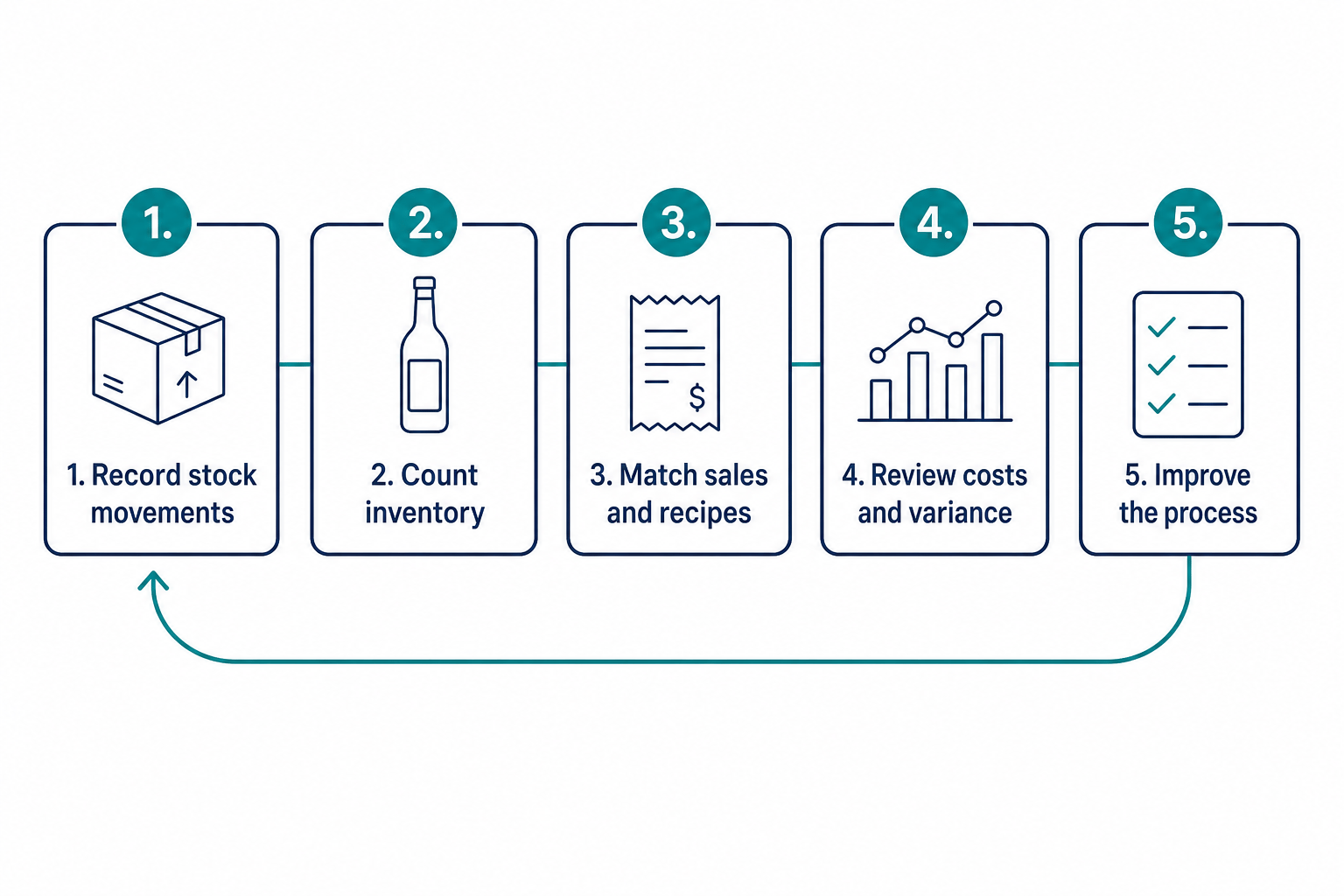
Inventory review cycle: record movements, count stock, match sales and recipes, review costs and variance, and improve the process
Record movements → Count inventory → Match sales and recipes → Review costs and variance → Improve the process. Repeat using consistent reporting periods.

Record Receiving, Returns, and Transfers

Receiving records establish what stock entered your operation and at what cost. Compare the delivery with its invoice and order, noting substitutions, damage, shortages, and bottle-size differences before accepting the record as complete.

Capture product, date, quantity, unit, location, supplier, and invoice reference. Record supplier returns and credits separately so an adjustment is not deducted twice. Distinguish delivery dates from accounting entry dates when reconciling period boundaries.

Transfer records need sending and receiving locations, quantity, product, date, and confirmation. A case moved from storage to a service bar is not a sale. If only one side records that movement, both outlet reports can become misleading.

Standardize Units and Partial-Bottle Measurements

Standardized units make inventory quantities comparable across receiving, recipes, and counts. Keep bottle sizes distinct and convert cases or other purchase units into the units your calculations use.

For open bottles, document the measurement method and apply it consistently. A bottle-equivalent value must refer to its stated capacity; half of a 750 mL bottle is different from half of a 1 L bottle.

Train counters with the same products and counting sequence. Review unexplained changes in partial-bottle values before treating them as depletion. Your inventory method should produce repeatable observations rather than depend on each person's interpretation.

Align Count Boundaries With Sales Periods

Count boundaries define when the opening stock period ends and the next one begins. Match sales, receipts, transfers, and adjustments to those same boundaries.

A count taken before opening can provide a clear closing boundary for the prior operating period. If service continues during a count, document intervening sales and stock movements or use a procedure that accounts for them.

Record the count time, areas covered, and reviewer. Retain the original snapshot before correcting an error so you can understand what changed. A revised count should improve the record, not erase the evidence of the original discrepancy.

Reconcile Stock With Sales and Recorded Usage

Reconciliation compares inventory-derived usage with recipe expectations and documented non-sale use. It requires more than comparing purchase invoices directly with sales revenue.

Calculate quantity used from opening stock plus receipts and transfers in, minus transfers out, supplier returns, and closing stock. Convert quantities to a consistent cost basis when preparing financial comparisons.

Then reconcile recorded sales, approved complimentary servings, waste, and other documented use. Product-level usage reports help organize this review. Keep unresolved discrepancies separate from legitimate use rather than assigning a cause before the records support one.

Calculate Liquor Cost and Gross Margin

Liquor cost percentage measures consumption cost as a share of matching net liquor sales. Use inventory values at cost and exclude sales taxes and tips consistently with your accounting policy.

Usage cost = Opening inventory + Purchases + Transfers in − Transfers out − Supplier returns − Closing inventory.

Liquor cost percentage = Usage cost ÷ Matching net liquor sales × 100. If purchases are already net of returns or credits, do not deduct those adjustments again. If sales are zero, the percentage is undefined.

Use a Worked Liquor Cost Example

This hypothetical weekly example begins with $8,000 in stock. Purchases are $4,500, transfers in are $300, transfers out are $200, supplier returns are $150, and closing inventory is $7,800.

Usage cost is $8,000 + $4,500 + $300 − $200 − $150 − $7,800 = $4,650. With matching net sales of $22,000, liquor cost is $4,650 ÷ $22,000 × 100 = 21.14%.

These figures illustrate the method, not a recommended target. The companion article How to Calculate Liquor Cost in 5 Simple Steps (2026) develops the calculation into a detailed workflow.

Keep Gross Margin Separate From Net Profit

Gross margin describes the sales remaining after product cost, before other operating expenses. For the hypothetical example, gross profit is $22,000 minus $4,650, or $17,350; gross margin is approximately 78.86%.

Net profit also reflects labor, occupancy, utilities, and other expenses. A beverage category can produce a favorable gross margin while the business remains unprofitable. Evaluate the cost ratio alongside sales volume and operating costs.

Cheryl Stanley, Senior Lecturer at Cornell's Nolan School of Hotel Administration, addresses pricing and controls in her beverage program course. Those management decisions belong in the same financial review.

Maintain a Consistent Inventory Valuation Policy

A consistent valuation policy makes opening stock, receipts, closing stock, and recipe costs comparable. Agree the policy with your accountant and document how changing supplier costs are handled.

Do not silently replace every historical cost with the latest invoice price. A valuation change can alter reported usage without changing the physical quantity consumed. Separate genuine supplier-cost changes from quantity discrepancies during your review.

Keep a record of adjustments and their reasons. If you change a valuation method, explain the effect before comparing the new ratio with prior periods. An apparent improvement may otherwise reflect accounting treatment rather than operational progress.

Set a Liquor Cost Target for Your Bar

A useful liquor cost target comes from your recipe quantities, ingredient costs, net selling prices, and revenue mix. There is no universal percentage that proves every bar is operating well.

Cost each recipe using the quantities you intend to serve. Divide ingredient cost by its matching selling price to calculate the expected ratio. Maintain the same ingredient scope in actual and theoretical calculations.

For a hypothetical drink with $2.80 of ingredients and a $14 net price, theoretical cost is 20%. This is an illustrative recipe result, not a benchmark for an entire beverage program.

Weight Category Targets by Revenue Share

A revenue-weighted target multiplies each category's theoretical cost ratio by its share of sales revenue and adds the results. Weighting by drink counts instead can distort the blend when prices differ.

In a hypothetical program, spirits produce 50% of revenue at an 18% target, beer produces 25% at 24%, and wine produces 25% at 32%. The blended target is 0.50 × 18% + 0.25 × 24% + 0.25 × 32% = 23%.

These category ratios are examples, not recommendations. The companion article What Is a Good Liquor Cost Percentage for Your Bar? explains how to interpret your own target and actual results.

Review Pricing, Costs, and Sales Mix Together

Changes in purchasing costs, selling prices, and sales mix can alter your cost percentage without indicating unauthorized usage. Recalculate your baseline when those inputs change materially.

A shift toward a higher-cost category raises the blended target even when every recipe is followed. Review category results before changing portions or attributing the increase to staff performance.

Separate price effects from quantity effects whenever possible. Maintain guest-quality standards while reviewing the financial result. A lower percentage achieved through under-portions does not establish a healthier operation or a more dependable guest experience.

Organize a Bar Inventory Spreadsheet

A bar inventory spreadsheet should connect product identity, quantities, units, locations, and costs. Use dated count snapshots and separate movement logs so closing stock does not have to explain every transaction by itself.

Core fields include SKU, product name, category, bottle size, counting unit, location, opening quantity, closing quantity, and unit cost. Receiving and transfer records provide the changes between those snapshots.

Keep wine inventory distinct where serving formats and storage locations differ. The companion article Bar Inventory Spreadsheet: Fields, Formulas, and Examples provides a worked worksheet.

Protect Formulas and Retain Movement Records

Protected formulas and retained movement records reduce accidental changes that can distort your worksheet. Limit edits to approved input cells and use consistent product and location names.

Maintain receiving, returns, transfers, and documented waste separately. A waste record explains consumption without a sale, but it should not be removed from actual physical usage when calculating total consumption cost.

Archive each period before starting the next. If an error is corrected, retain the reason and reviewer. This record makes repeated issues visible and helps you distinguish a spreadsheet error from a purchasing or portion-standard problem.

Avoid Mixed Units and Percentage-Formatting Errors

Mixed units and incorrect percentage formatting can create false cost results even when the physical count is accurate. Validate the unit attached to each quantity before using it in a formula.

Convert a case receipt to bottles when bottles are your counting unit. Track different capacities separately. For beer and dry goods, define keg, package, and ingredient units explicitly.

In a spreadsheet, a ratio of 0.2314 becomes 23.14% when percentage formatting is applied. Do not multiply by 100 and then apply percentage formatting again, or the displayed result will be inflated.

Compare Actual and Theoretical Beverage Cost

Actual beverage cost measures inventory consumed; theoretical beverage cost estimates recipe-based consumption for recorded sales. Their difference identifies a discrepancy that needs reconciliation, not a proven cause of loss.

Theoretical cost = Sum of recorded item sales × Standard recipe cost per item. Match dates, locations, ingredient scope, and cost basis before comparing it with inventory-derived actual cost.

Dollar variance = Actual cost − Theoretical cost. Document whether your theoretical measure covers sales alone or also includes approved non-sale usage. Changing that definition changes what remains unexplained.

Interpret Dollar Gaps and Percentage-Point Differences

Dollar variance states the cost difference; a percentage-point gap compares the two ratios using matching sales revenue. Do not describe a percentage-point change as a relative percentage increase.

In a hypothetical period with $20,000 in sales, theoretical cost of $4,000 is 20%. Actual cost of $4,700 is 23.5%. The gap is $700, or 3.5 percentage points.

Reconcile documented non-sale use and record errors before interpreting the remaining difference. The companion article Actual vs. Theoretical Beverage Cost: Explain the Gap develops this comparison into an investigation process.

Review Negative Variance and Category Offsets

Negative variance means actual cost is below the theoretical expectation, but it still needs review. Possible explanations include under-portions, overstated recipes, omitted purchases, or count errors.

Do not reward a low blended result without checking its components. Positive variance in one product can be offset by negative variance elsewhere, concealing both issues in a property-wide total.

Compare quantities as well as values when supplier costs change. A consistent variance review should distinguish pricing, measurement, mapping, and operational causes rather than treat every difference as missing product.

Improve Purchasing and Stock Availability

Purchasing decisions should use current counts, recent usage, delivery lead times, and expected service demand. Stock availability and cash tied up in inventory both belong in the decision.

Ordering too little can cause substitutions and missed sales. Ordering too much ties up cash and may expose perishable or opened products to waste. Evaluate an extra case against likely use rather than a discount alone.

Consider approved events, reservations, seasonal demand, and supplier delivery schedules. Historical usage informs the order, but it should not be treated as a complete forecast when operating conditions have changed.

Distinguish Par Levels From Reorder Points

A par level is the target quantity you order up to; a reorder point is the stock level that triggers an order. Define both consistently in your operation.

A basic reorder point equals expected demand during lead time plus a safety buffer. In a hypothetical example, usage of two bottles daily, three days of lead time, and four safety-stock bottles produce a ten-bottle reorder point.

For ordering, consider usable stock, confirmed stock already on order, and scheduled requirements. Review the buffer when deliveries or demand become less predictable instead of increasing every product's par indiscriminately.

Investigate Discrepancies Before Assigning Blame

Investigate the records and operating process before attributing a discrepancy to intentional loss. A variance report narrows what needs examination; it does not establish individual responsibility.

Check physical coverage, receiving, transfers, POS mapping, recipes, and documented non-sale use in a consistent sequence. Retain the evidence and correction applied so the next review can confirm whether the issue recurs.

A repeatable beverage audit gives staff a clear process. Share verified findings and expectations, rather than starting a discussion with an accusation based on an aggregate ratio.

Check Counts, Receiving, and Transfers First

Count and movement checks establish whether your actual-usage inputs are reliable. Recount affected items where practical, verify all storage areas, and compare receipts with supplier records.

Check for duplicate invoices, unrecorded credits, unit errors, and deliveries entered in the wrong period. A missing receipt can understate consumption; a duplicate can overstate it. Different errors do not all move variance in the same direction.

Confirm both sides of a transfer and its reporting scope. At outlet level, undocumented movement can appear as a shortage in one location and surplus in another without changing total property stock.

Check Recipes, POS Mapping, and Non-Sale Use

Recipe and sales-mapping checks establish whether your theoretical expectation matches the drinks recorded. Review substitutions, recipe changes, item buttons, and serving quantities for affected products.

Reconcile approved complimentary servings, breakage, spills, returned drinks, and tastings. These explain non-sale consumption when recorded accurately. Keep them in total actual usage, then account for them when calculating the residual unexplained gap.

Review persistent patterns only after correcting the inputs. Escalate concerns through your documented management procedures and applicable policies. An item-level discrepancy is evidence to examine, not permission to assume who caused it.

How Scannabar Supports Inventory and Cost Control

Scannabar supports inventory measurement, stock tracking, and usage reporting for hospitality operations. Those capabilities help connect the physical count with the records used in a cost review.

Scannabar's liquor inventory system provides barcode-enabled measurement and reporting by product and outlet. Its POS reconciliation supports comparison of observed usage with recorded sales.

Use the reports alongside documented receiving, transfers, and recipes. A system can organize inputs and identify discrepancies, but interpreting a gap still requires operational records and a fair investigation.

Build Accountability Around Evidence

Evidence-based accountability makes responsibilities and records visible without treating inventory control as a presumption of misconduct. Define who receives, counts, reviews, and approves adjustments.

Scannabar's inventory controls support product and location visibility. Use that visibility to focus training and reviews on the process that needs improvement.

Let staff explain legitimate stock movements and document the outcome. Close each review with a specific action, owner, and follow-up date. The next period should show whether the correction improved the record or whether further investigation is needed.

Build a Repeatable Cost-Control Routine

A repeatable routine brings count preparation, physical observations, reconciliation, and purchasing review into one scheduled process. Choose a cadence that fits your service volume, risk, and available staff.

More frequent reviews shorten the period you need to investigate, but accuracy matters as much as frequency. A rushed count with unmatched boundaries can create more confusion than a carefully documented one.

Start with a clear operating standard and improve it as recurring exceptions become visible. Each review should leave a retained snapshot, explained adjustments, and named actions rather than only a new percentage.

Use a Count-Period Checklist

A count-period checklist makes the review sequence visible and assigns the evidence needed at each stage. Adapt this sequence to your locations and accounting policy.

  • Before counting: Confirm receiving, transfers, returns, and sales boundaries; prepare the product and location list.
  • During counting: Cover every location, use consistent units, record partial quantities, and document exceptions.
  • After counting: Calculate usage, reconcile sales and non-sale use, and flag unexplained item-level differences.
  • During management review: Check costs and revenue mix, agree corrective actions, and update purchasing requirements.
  • Before the next cycle: Confirm actions were completed and retain prior records for comparison.

A checklist should reflect your actual operating procedure. Review omissions and recurring corrections so the process improves rather than reproduces the same exceptions each period.

Build a Connected Inventory and Cost-Control System

Connected inventory control turns counts and movement records into decisions you can explain. Start with a defined scope, reliable units, and matched reporting boundaries.

Then calculate consumption cost, establish recipe-based targets, and investigate variance with evidence. Use the companion articles for deeper calculations and spreadsheet design as each resource becomes available.

Your next step is a documented routine with clear ownership. Consistent reviews support better purchasing and fairer operational decisions while keeping gross margin, net profit, and unexplained usage distinct.

FAQs About Liquor Inventory and Cost Control

Does a high liquor cost percentage prove theft?

No. High cost can reflect pricing, sales mix, supplier changes, record errors, waste, or unauthorized usage. Scannabar's product-level reports help narrow the review, but evidence from counts, movements, recipes, and approved non-sale use is necessary before attributing a discrepancy to anyone.

How often should you count liquor inventory?

Choose a count frequency that fits your volume, risk, and ability to maintain reliable records. Scannabar's counting workflow supports regular reviews. Shorter periods can narrow investigations, but matched boundaries and consistent measurements remain necessary at any cadence.

Can inventory software replace physical observations?

No. Reliable inventory needs trustworthy observations and documented stock movements. Scannabar supports barcode-enabled measurement and usage reporting, but incomplete receiving or transfer records can still distort the result. Use software with a defined operating routine and retained review evidence.

Is there one correct liquor cost target?

No. Your target depends on recipes, ingredient costs, prices, and revenue mix. A recipe-based target provides a defensible starting point. Compare actual consumption with that expectation and investigate changes before assuming a published average is appropriate for your operation.

Should waste be excluded from actual usage cost?

No. Waste consumes product and remains part of inventory-derived usage cost. Document it separately so you can explain the gap between physical consumption and sales-based theoretical usage. Deduct documented non-sale use when analyzing residual unexplained variance, not when measuring total consumption.

Topics: managing liquor inventory cost, Liquor cost, alcohol cost, Reducing Liquor Costs, controling costs, managing liquor costs

How to Count Liquor Inventory Faster in 7 Easy Steps (2026)

Posted by Nick Kaoukis on Thu, Oct, 01, 2026 @ 17:10 PM

Your liquor inventory count takes three or four hours every week. During that time, your staff is off the floor, your managers are buried in clipboards, and your bar is burning labor dollars on a task that generates zero revenue.

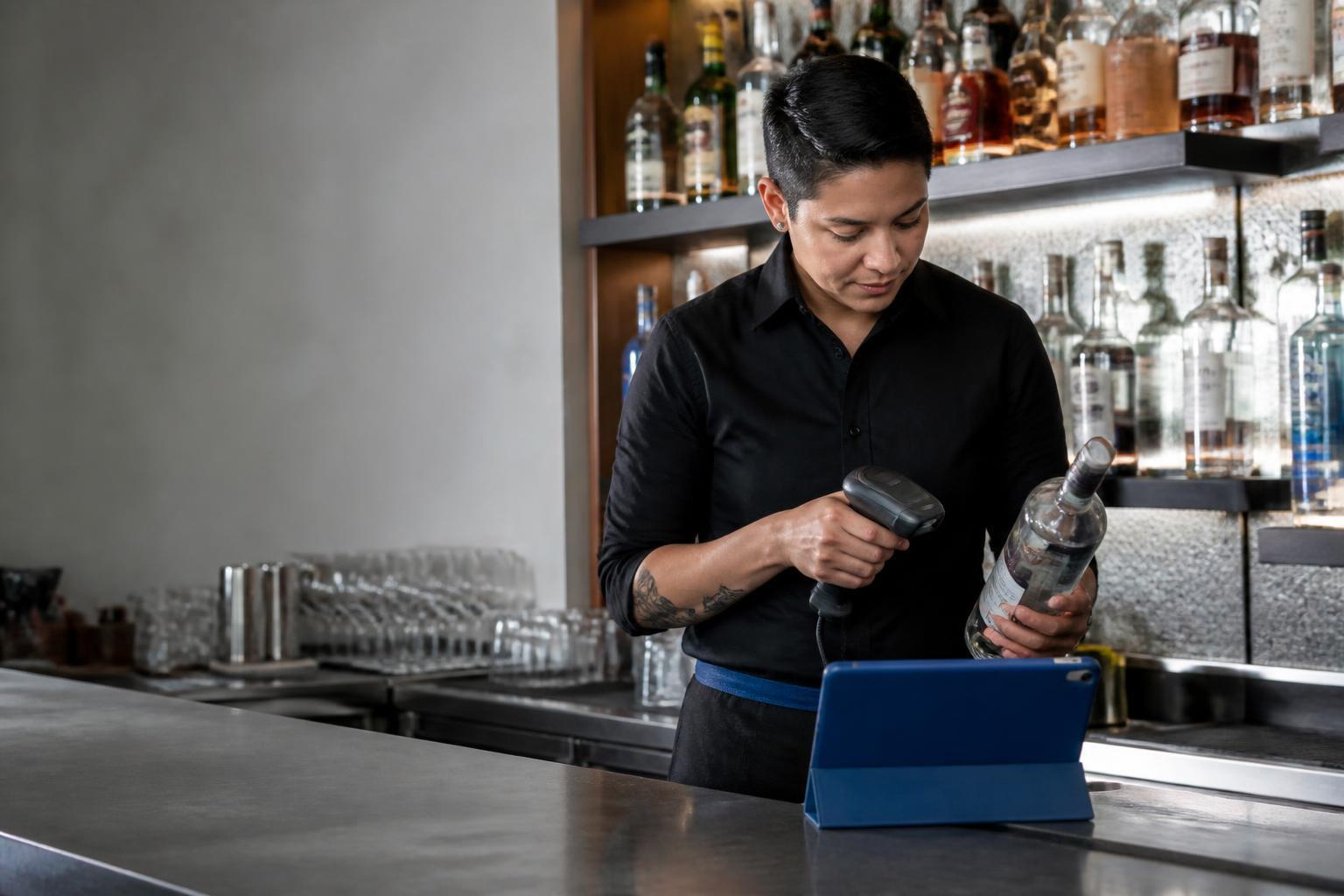
Bar manager scanning liquor bottles during an inventory count

Scannabar gives you a faster path: bar inventory software built around barcode scanning and bottle weighing that cuts counting time by up to 75%. This guide walks you through seven steps for finishing your liquor counts in a fraction of the time.

Below you will find seven clear steps, from setting up your product list to reviewing variance data the morning after. Each step is built for bar managers, restaurant operators, and hotel F&B directors who already know what pour cost means and want to stop losing money to slow, inaccurate counts.

Quick Guide: How to Count Liquor Inventory Faster in 7 Easy Steps

  1. Build and organize your master product list - Sort every SKU by physical shelf location so your team counts in one straight pass.
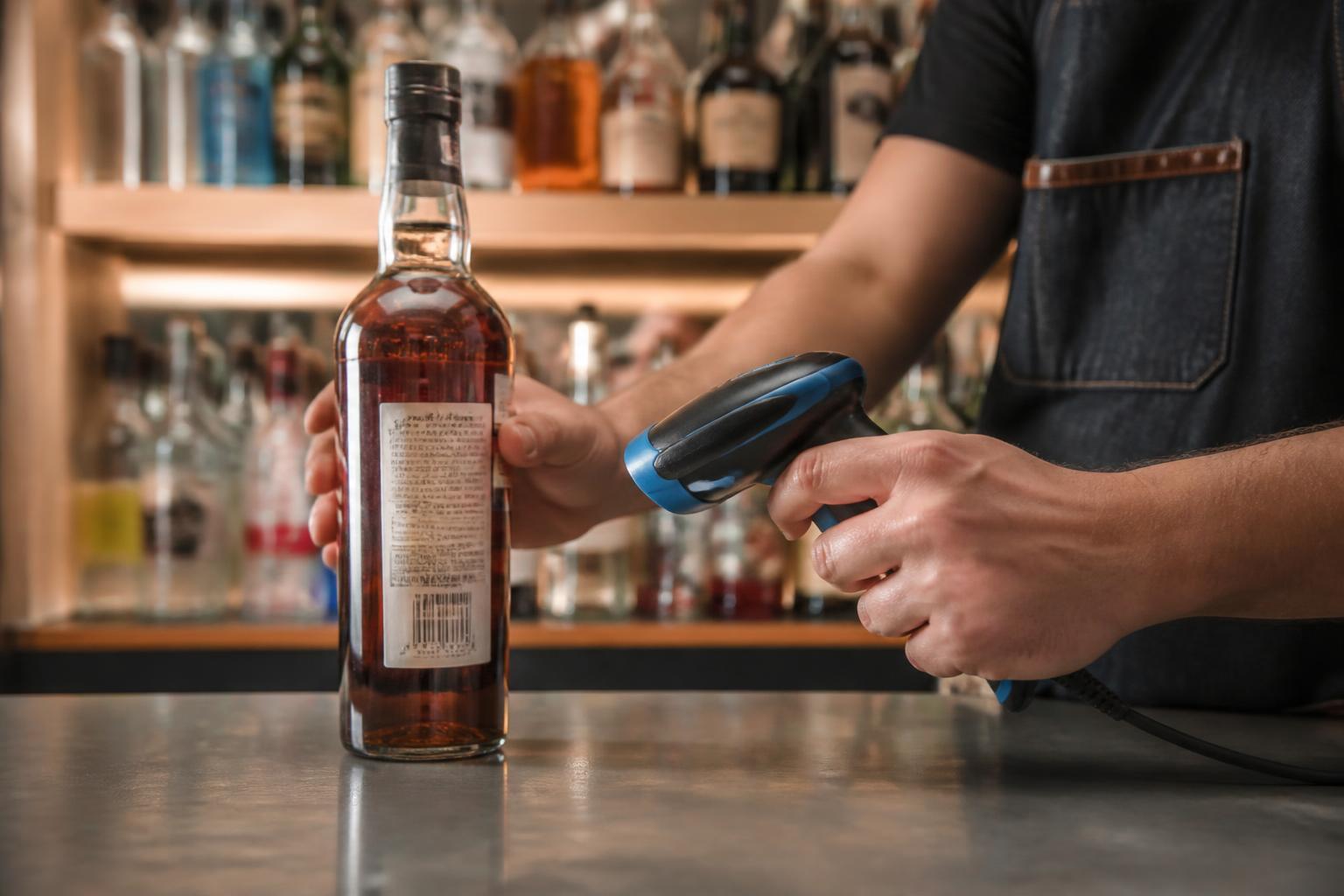
  2. Tag every bottle at receiving - Apply a unique barcode label to each bottle the moment it arrives at your establishment.
  3. Set up your barcode scanner hardware - Configure a rugged handheld device paired with your inventory software for fast, reliable scanning.
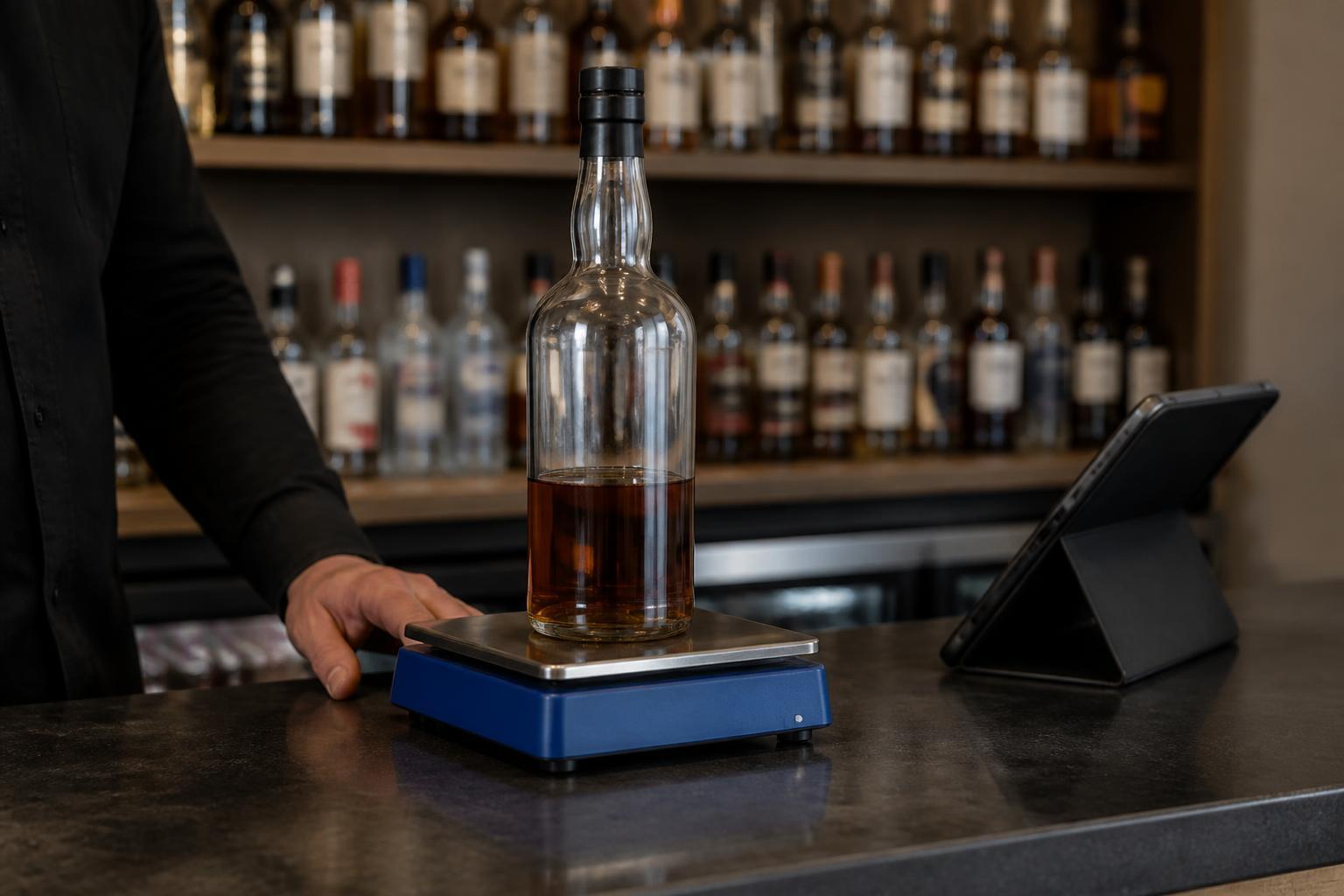
  4. Use bottle weighing for open bottles - Place partial bottles on a calibrated scale to capture exact fluid levels instead of guessing.
  5. Count shelf by shelf in a single pass - Move left to right, top to bottom, scanning and weighing without backtracking.
  6. Reconcile counts against POS sales data - Import your register sales and compare what you poured against what you rang in.
  7. Review variance reports and act on outliers - Flag any product with more than 5% variance and investigate before the trail goes cold.

How to Speed Up Your Liquor Inventory Count

1. Build and organize your master product list

A fast count starts before you touch a single bottle. Walk every area of your operation: the main bar, back bar, service wells, walk-in cooler, dry storage, and any satellite or banquet bars. Record every product by brand name, bottle size, and category.

Here is the critical part: sort that list by physical shelf location, not by spirit category. When your team counts, they move in one straight line across each shelf. Jumping from vodka to tequila and back wastes minutes that add up across hundreds of bottles.

A typical bar carries 150 to 400 products. Larger hotel bars and nightclubs can hit 500 or more. Build the list once, load it into your inventory software, and reuse it for every count cycle.

The Scannabar Inventory System lets you organize products by location and pull the same shelf-ordered list on your handheld scanner each time.

2. Tag every bottle at receiving

Every bottle that enters your establishment needs a unique barcode identity. When a delivery arrives, pull a numbered barcode label from the roll, scan the existing UPC on the bottle to capture its brand, size, and volume profile, then scan the Scannabar label to bind that tag to that specific bottle.

From this point forward, the system tracks that bottle through storage, transfer to the bar, measurement during counts, and final disposal. This is how Scannabar identifies a missing bottle at any location within your establishment. No other step in the process matters if the bottle never got tagged at the door.

Tagging a full case takes seconds. For high-volume venues receiving dozens of cases per week, assign one staff member to handle receiving and labeling as a dedicated task rather than an afterthought.

3. Set up your barcode scanner hardware

Bar employee scanning the barcode on a liquor bottle

Scannabar runs on purpose-built handheld scanners from manufacturers like Zebra and Motorola. These devices are designed for wet, fast-paced bar environments. They survive spills, hold a charge through a full multi-bar count, and stay on the premises because they are not your bartender's personal phone.

Pair the scanner with your Scannabar software, confirm the product list is loaded, and test a few scans before count night. A scanner that reads labels in under a second eliminates the fumbling and re-scanning that slows down smartphone-based apps.

For multi-location operations, each venue gets its own handheld. Scannabar supports multiple fixed, portable, seasonal, and banquet bars under a single account, so your corporate office can pull consolidated reports without merging spreadsheets.

4. Use bottle weighing for open bottles

Partially filled whiskey bottle on a digital inventory scale

Open bottles are where most counting accuracy falls apart. Visual estimation, sometimes called “tenthing,” is subjective. Two managers will give you two different numbers for the same bottle, and across 300 open bottles, that inconsistency makes your variance data unreliable.

A calibrated scale converts weight to remaining fluid ounces in seconds. Place the bottle on the scale, let the system record the exact level, and move on. No debating whether a bottle is one-third or one-half full.

Scannabar takes this a step further with per-bottle calibration and a patented measuring strip that runs along the height of the bottle. The scanner reads the level directly, so you get measurement accuracy without weighing every bottle individually.

For your premium spirits, where a few ounces of variance can represent significant dollars, this precision pays for itself quickly.

5. Count shelf by shelf in a single pass

Start at the same spot every time: top shelf, far left. Move right across the shelf, then drop to the next row. Scan full bottles, weigh or measure open ones, and let the software record everything in real time. Do not skip back to recount something you passed.

This one-pass method works because your product list is already sorted by shelf position. The scanner knows what should be next. If something is out of place, flag it and keep moving rather than stopping to reorganize mid-count.

A 120-bottle bar using Scannabar's barcode scanning finishes in about 15 minutes. Multiple staff members can count different zones simultaneously. One person takes the main bar, another handles storage, and the system merges their counts automatically. That parallel workflow is how large hotels and multi-outlet properties finish full-property inventories before the next shift clocks in.

6. Reconcile counts against POS sales data

A count by itself is just a list of numbers. The count becomes useful when you compare it against what your POS system says you sold.

Scannabar pulls sales data via CSV, XML, or a direct API connection to your POS vendor's published specification. Systems like Aloha, Micros, MaitreD, POSitouch, Digital Dining, Pixel Point, and InfoGenesis all connect.

The formula is straightforward: previous inventory plus purchases minus current inventory equals usage. Compare that usage to what the POS recorded as sold. The gap between those two numbers is your variance, the unaccounted product that represents shrinkage.

Automate this reconciliation instead of building formulas in a spreadsheet. When the math runs inside your inventory system, you get results the morning after the count instead of three days later when nobody remembers what happened on Saturday night.

7. Review variance reports and act on outliers

The report is only valuable if someone reads it within 24 hours. Look first at the highest-dollar variances, not the highest-percentage ones. A 30% variance on a slow-moving bottle of amaro costs you less than a 6% variance on your top-selling vodka.

Investigate before the trail goes cold. A variance discovered this week still belongs to a shift that is on the schedule. A variance discovered next month belongs to nobody. Weekly counting frequency, made possible by a fast scanning process, gives you the data resolution to connect discrepancies to specific bartenders, shifts, or events.

Scannabar's variance reports break down results by product, outlet, and count period. When you spot a pattern, you have the documentation to have a specific, productive conversation with your team rather than a vague accusation. That is the difference between a culture of accountability and a culture of suspicion.

What causes the biggest time losses during bar inventory counts?

Three process failures eat most of your counting time. The first is an unsorted product list that forces counters to jump between shelves and storage areas. The second is visual estimation of partial bottles, which creates arguments, recounts, and unreliable data.

The third is manual data entry after the count, where someone spends another hour transcribing numbers into a spreadsheet. Each of these failures compounds, and fixing all three is what separates a 15-minute count from a 4-hour one.

A disorganized list adds 30 to 45 minutes. Partial-bottle debates add another 20 minutes across a full bar. Post-count data entry can double the total labor cost of the inventory process.

The fix is process design, not effort. When the product list matches the shelf order, the counting method eliminates subjectivity, and the data flows directly from the scanner to the software, counting stops being a dreaded chore and becomes a quick operational checkpoint.

How often should you count liquor inventory for accurate variance tracking?

Weekly counting is the standard for any bar serious about controlling shrinkage. According to the National Restaurant Association's 2026 State of the Industry report, persistent cost pressures continue to challenge operator margins, making tighter inventory controls more urgent than ever.

When you count every seven days, you catch variance while the staff schedule is still fresh, connect losses to specific shifts, and build a data trail that makes patterns visible within weeks rather than quarters.

Monthly counting is too infrequent for meaningful variance analysis. By the time you discover a problem, four weeks of losses have accumulated. You cannot pinpoint which bartender, shift, or event caused the gap. The data becomes a historical record of money already lost rather than an actionable control mechanism.

The reason most bars default to monthly counts is that their counting method takes too long. When a full count requires three or four hours of labor, weekly counts are impractical.

Barcode scanning and bottle weighing compress that time enough to make weekly counts realistic for venues of any size. Some operators using Scannabar run spot-checks on their highest-value spirits daily because each check takes minutes, not hours.

How Scannabar Helps You Count Liquor Inventory Faster

Scannabar was built inside working bars, not in a software lab. The system uses barcode scanning and per-bottle tracking to turn a multi-hour count into a task that takes minutes.

A bar code strip on each bottle lets the handheld scanner read the exact fluid level. You skip the guessing, the weighing debates, and the post-count data entry entirely.

Venues running Scannabar consistently operate at 1% to 3% shrinkage, compared to the industry average of 20% to 25%. That gap translates directly to your bottom line. For a bar generating $500,000 in annual revenue, reducing shrinkage from 20% to 3% puts tens of thousands of dollars back into your operation every year.

The Scannabar Inventory System integrates with your existing POS, delivers real-time variance analysis, and includes seven-day-a-week customer support. Your team can be operational within a single shift.

The system was designed for hospitality professionals who do not have time for a lengthy software rollout. Visit Scannabar to see how your venue can start counting faster and losing less.

FAQs About Counting Liquor Inventory Faster

How long does a liquor inventory count take with barcode scanning?

A 120-bottle bar using Scannabar's barcode scanning typically finishes a full count in about 15 minutes. Larger venues with 400 or more products complete counts in under an hour when multiple staff members scan different zones simultaneously. That is roughly 75% faster than a clipboard-and-spreadsheet approach.

Do I need to weigh every bottle during inventory?

You only need to weigh or measure open bottles. Full, sealed bottles get a quick barcode scan and a unit count. Scannabar's patented measuring strip provides an alternative to traditional scale weighing by reading the fluid level directly from the bottle, which speeds up the partial-bottle step significantly.

Can barcode scanning help prevent bartender theft?

Barcode scanning creates a documented chain of custody for every bottle from receiving to disposal. Scannabar tracks each bottle individually, so a missing bottle triggers an alert.

When your team knows every bottle is tracked and variance is reviewed weekly, it creates a culture of accountability that reduces the temptation for theft and protects honest staff from false accusations.

What POS systems work with Scannabar for inventory reconciliation?

Scannabar integrates with major hospitality POS platforms including Aloha, Micros, MaitreD, POSitouch, Digital Dining, Pixel Point, Restaurant Manager, and InfoGenesis. Data transfers via CSV, XML, or direct API, depending on your vendor's specifications. The system also connects with property management platforms for hotel operations.

Is barcode scanning accurate enough for high-value spirits?

Barcode scanning combined with Scannabar's per-bottle calibration delivers measurement accuracy to a fraction of an ounce. For premium spirits where a single bottle can cost over $100, that precision matters. The system removes human subjectivity from the count, so your variance data reflects actual usage rather than estimation differences between staff members.

How quickly can my team learn a barcode-based inventory system?

Most teams using the Scannabar Inventory System become operational within a single shift. The handheld scanner interface is straightforward: scan the barcode, confirm the product, record the level, and move to the next bottle. Scannabar includes onboarding support and seven-day-a-week customer service to handle any questions during the transition from your current counting method.

Topics: liquor inventory, Bar inventory, Hotel Inventory, liquor inventory timing, inventory counting, inventory control, liquor inventory system, liquor management, liquor inventory app